Your house key may be about to become obsolete.
The newest facial-recognition smart locks can identify you as you approach the front door and unlock the deadbolt before your hand reaches the handle. The fastest model in a recent hands-on comparison reportedly opened in less than a second—even when the homeowner was wearing sunglasses.
These are not simple door locks with a camera attached. Some combine 3D facial recognition with fingerprint readers, keypads, physical keys, video doorbells, package detection and Matter smart-home compatibility.
That means you could arrive home carrying groceries, a sleeping child or an armful of packages and walk inside without touching the lock at all.
It sounds incredibly convenient.
It also means placing an encrypted scan of your face inside a device mounted to your front door.
So, are facial-recognition smart locks finally useful enough to trust—or are we giving our homes a little too much information?
Quick Comparison
Three Facial-Recognition Smart Locks to Consider
Each lock approaches hands-free entry differently. The best choice depends on whether you prioritize speed, a cleaner design or fewer battery-charging headaches.
All-in-One Option
eufy FamiLock E40
The strongest choice for homeowners who want facial recognition, several backup entry methods and a built-in video doorbell in one front-door device.
- Fast 3D facial recognition
- Fingerprint reader and keypad
- Built-in 2K video doorbell
- Physical key backup
- Matter smart-home compatibility
Best for: Homeowners who want one device to handle both smart access and front-door video.
Check Price on AmazonMost Refined Design
Lockly Visage Zeno Series
A cleaner-looking choice with facial recognition, fingerprint access, a secure keypad and Apple Home Key support for compatible devices.
- 3D facial recognition
- Fingerprint reader
- Apple Home Key support
- PIN Genie keypad
- Physical key backup
Best for: Apple users and homeowners who do not want a video doorbell built into the lock.
Check Price on AmazonBest for Battery Convenience
Lockin Veno Solar Face
A solar-assisted option designed to reduce how frequently the rechargeable battery needs to be removed and charged.
- Facial-recognition entry
- Integrated solar charging panel
- Keypad access
- App-connected controls
- Backup entry options
Best for: Protected front entrances that receive enough daylight to benefit from solar-assisted charging.
Check Price on AmazonDisclosure: This section contains affiliate links. If you purchase through one of these links, I may earn a commission at no additional cost to you. Prices and availability may change.
Facial-recognition smart locks have been promising a keyless future for years. Until recently, most of them felt more like expensive experiments than something the average homeowner would actually want on the front door.
That may finally be changing.
A new hands-on comparison tested four smart locks that can recognize a homeowner’s face and automatically unlock the door. The quickest model reportedly identified the user and retracted the deadbolt in less than a second.
That is fast enough to feel natural.
You walk toward the door. The lock sees you. The deadbolt opens. You step inside without reaching for a key, tapping your phone or entering a code.
Several of the latest models also combine facial recognition with fingerprint readers, keypads, physical keys, video doorbells and Matter compatibility. In other words, facial recognition is not always replacing the traditional ways of unlocking a door. It is becoming one more option layered into a complete front-door system.
The technology is impressive, but it also introduces a more personal question:
Are you comfortable letting your front door store a scan of your face?
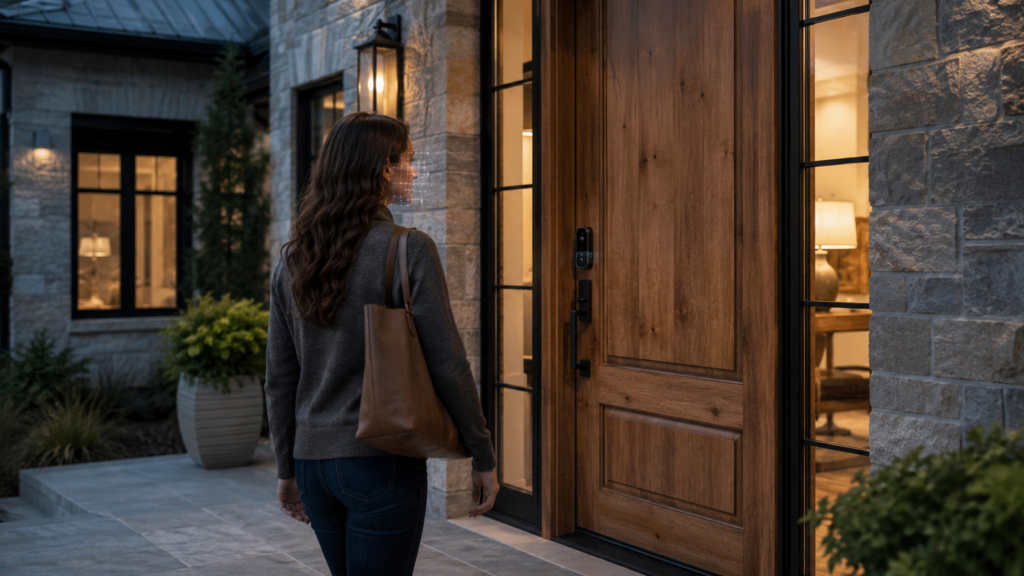
Smart Locks Have Not Always Felt Very Smart
The original promise of the smart lock was simple: homeowners would no longer need to carry house keys.
The reality has sometimes been less convenient.
Phone-based automatic unlocking can be slow. Bluetooth connections occasionally fail. Geofencing may not recognize that you have arrived until you are already standing on the porch.
A keypad is useful, but you still have to remember the code and free up a hand to enter it. Fingerprint readers are usually faster, but you still have to touch the lock in exactly the right place.
None of these are enormous problems.
But small annoyances become noticeable when they happen every day.
Imagine coming home with both hands full of groceries. You have a package under one arm, your phone is buried in a pocket and it has just started raining.
That is the situation facial recognition is designed to solve.
The lock does not need something you are carrying. Your face becomes the credential.
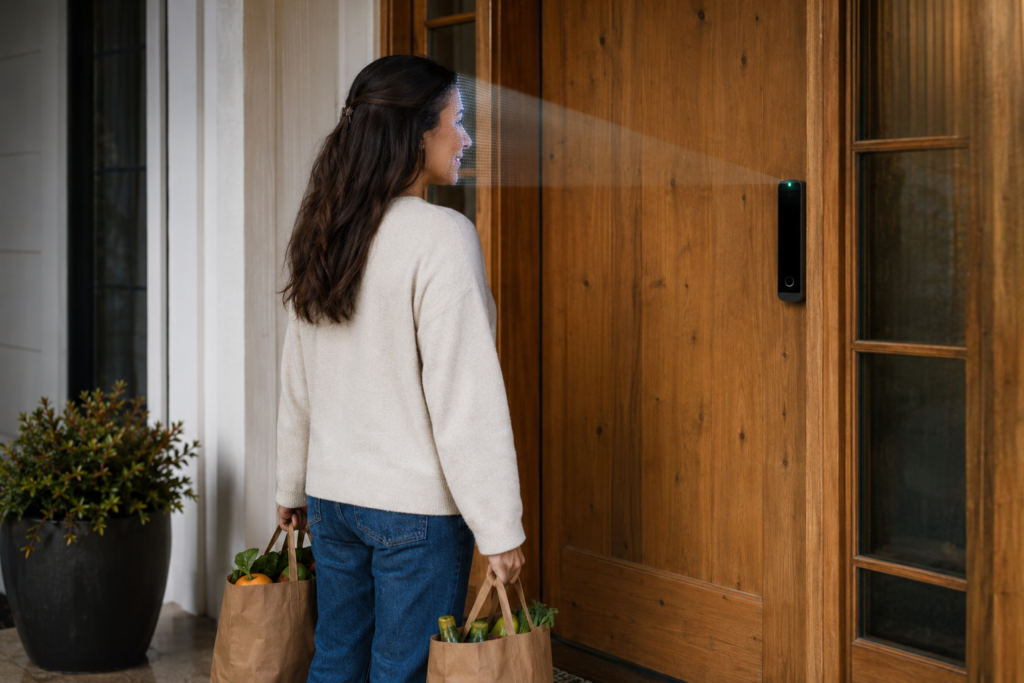
How Facial-Recognition Smart Locks Work
These locks are not supposed to unlock simply because someone holds up a photograph of the homeowner.
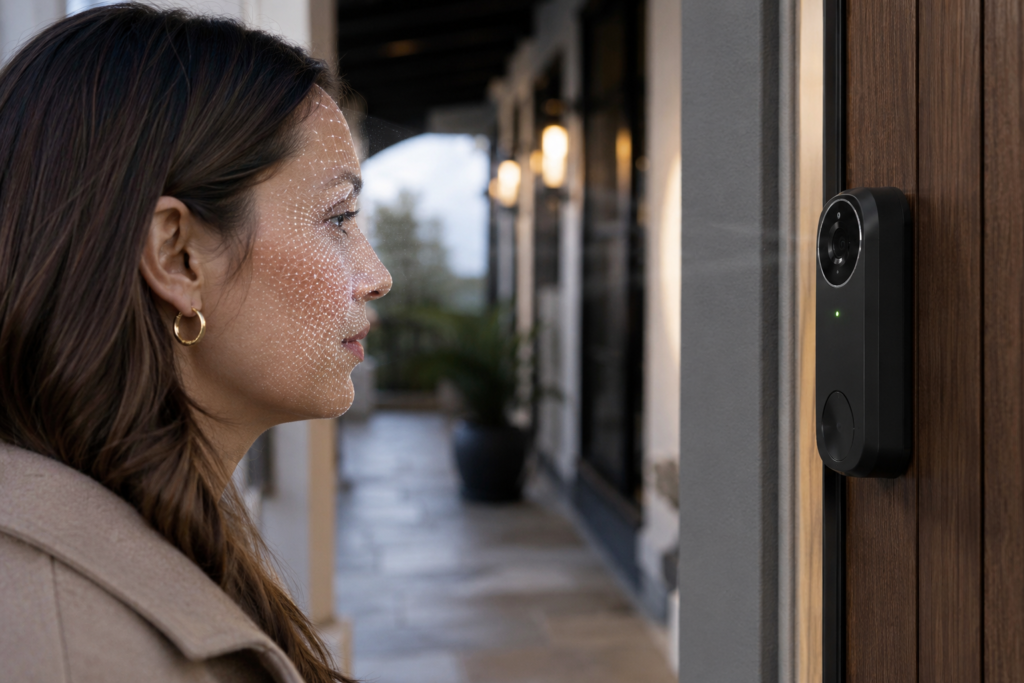
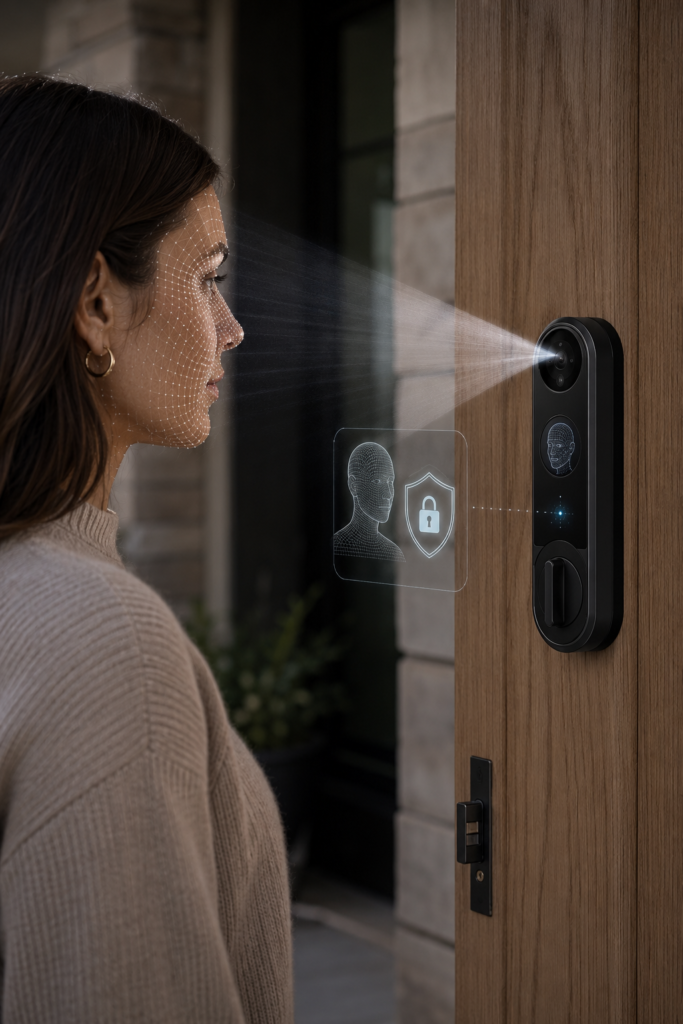
Most newer facial-recognition systems use infrared sensors to create a three-dimensional map of the person standing in front of the door. The lock measures facial depth, contours and geometry rather than relying only on a flat image.
Some systems project thousands of invisible infrared points across the face. Others use multiple cameras or time-of-flight sensors to measure how far different facial features are from the lock.
The goal is to determine two things:
- Does this face match an authorized user?
- Is there a real, three-dimensional person standing at the door?
That second step is often described as liveness detection.
It is intended to prevent someone from unlocking the door with a printed photograph, phone screen or recorded video.
No security system is impossible to defeat, and homeowners should be skeptical of any company that claims otherwise. However, modern 3D facial recognition should be much more difficult to fool than a basic camera comparing two photographs.
The lock usually stores a mathematical facial template rather than a standard portrait. That template represents the measurements used to recognize the person.
Where that template is stored becomes one of the most important privacy questions surrounding these devices.
Four Facial-Recognition Smart Locks Put to the Test
A recent hands-on comparison examined four facial-recognition smart locks available to homeowners:
- Eufy FamiLock E40
- Lockly Visage Zeno
- Lockin Veno Solar Face
- SwitchBot Lock Vision Pro
All four were designed to recognize an authorized face and unlock the deadbolt automatically.
What separated them was not simply whether facial recognition worked.
The bigger differences involved recognition speed, battery life, backup access, smart-home compatibility, weather resistance and the overall size of the hardware.
Some felt like refined residential products. Others still showed signs of being early-generation technology.
Smart-Lock Comparison
Four Facial-Recognition Smart Locks Compared
These four locks combine hands-free facial recognition with different backup-access methods, smart-home features and battery systems.
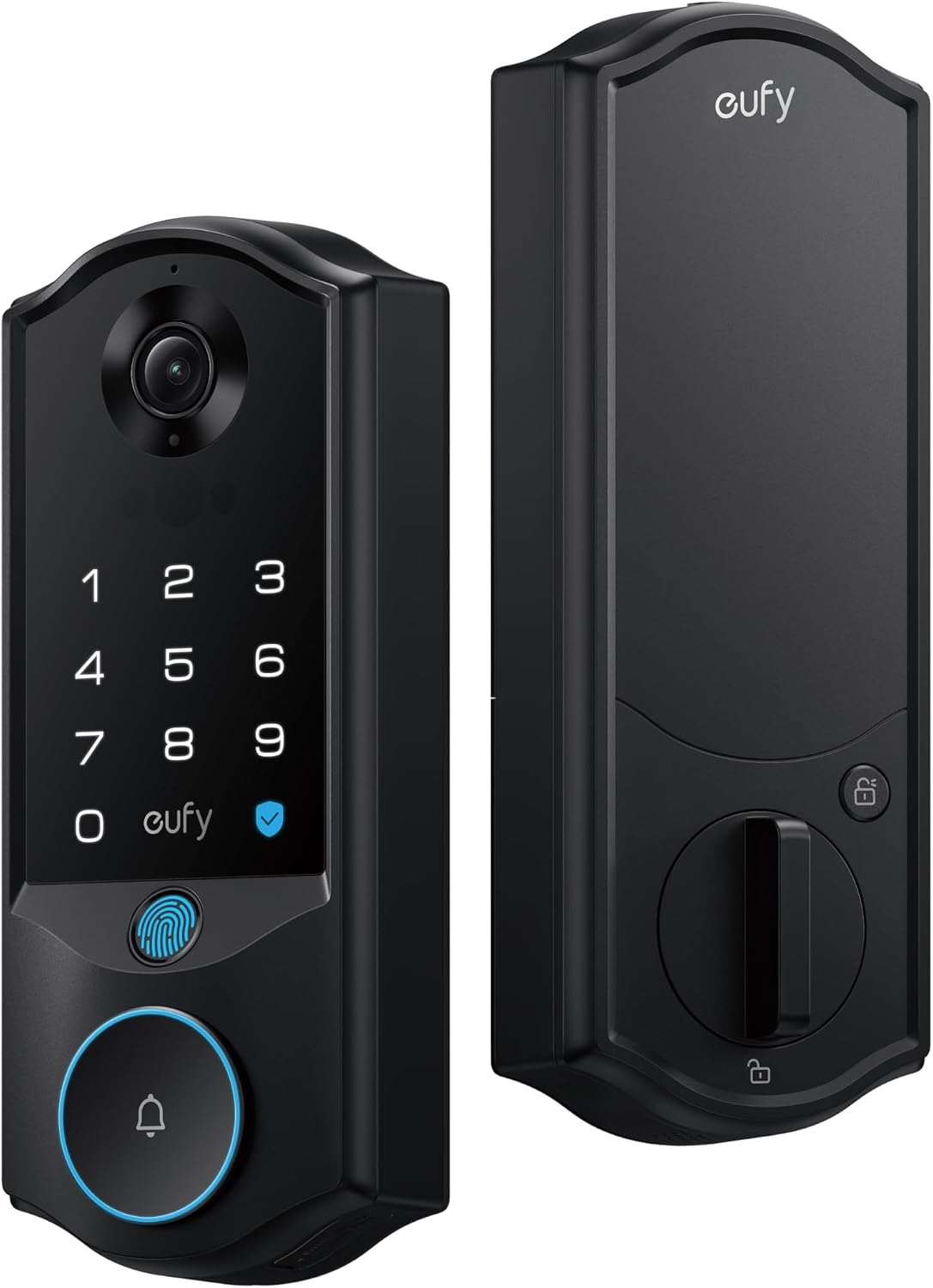
All-in-One Option
Eufy FamiLock E40
Facial recognition, fingerprint access, keypad entry and a built-in video doorbell in one front-door device.
Check Price on Amazon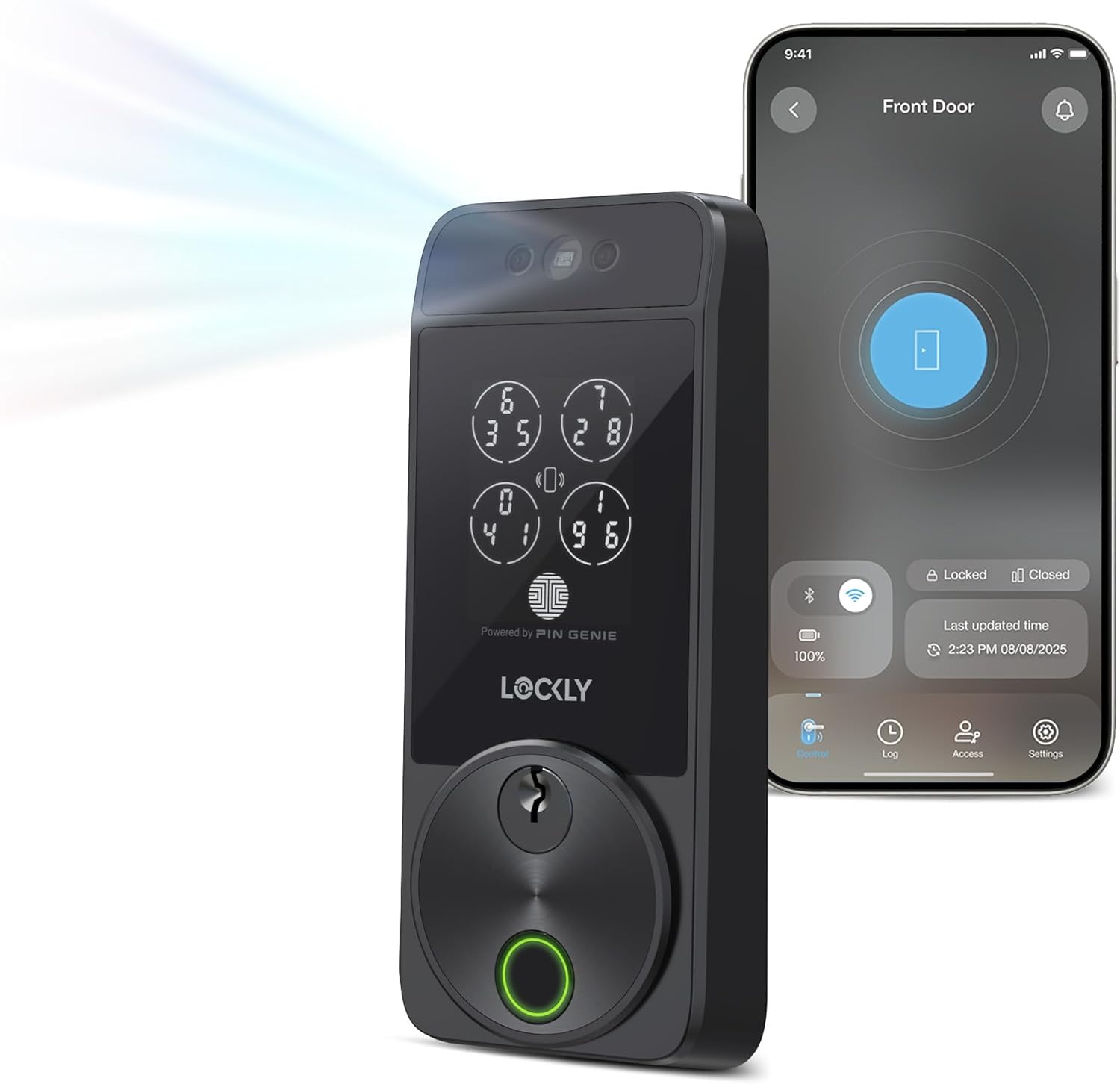
Refined Design
Lockly Visage Zeno
A streamlined facial-recognition lock with fingerprint access, keypad entry and Apple Home Key support.
Check Price on Amazon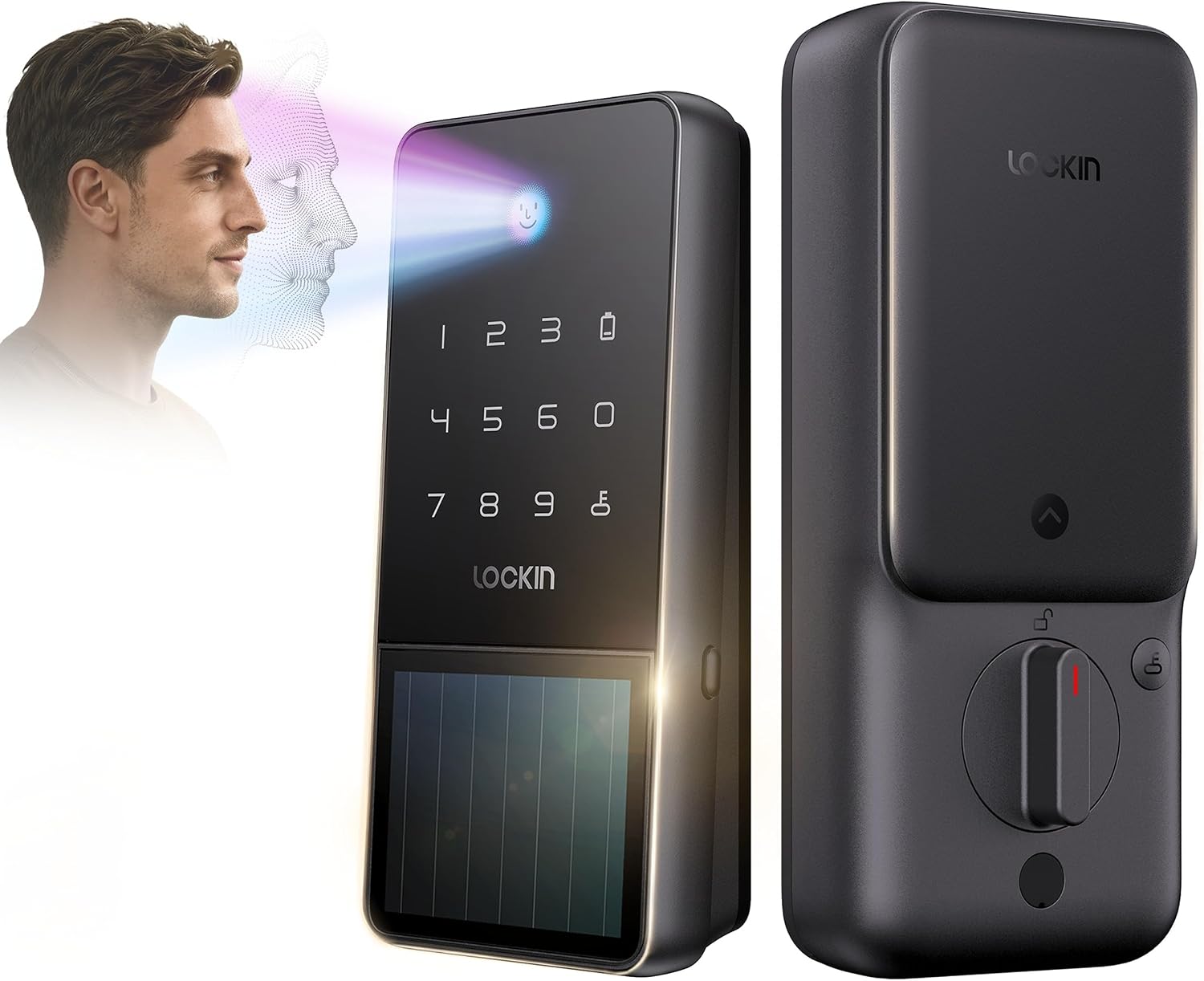
Solar-Assisted Option
Lockin Veno Solar Face
A facial-recognition lock with solar-assisted charging designed to reduce battery-maintenance concerns.
Check Price on Amazon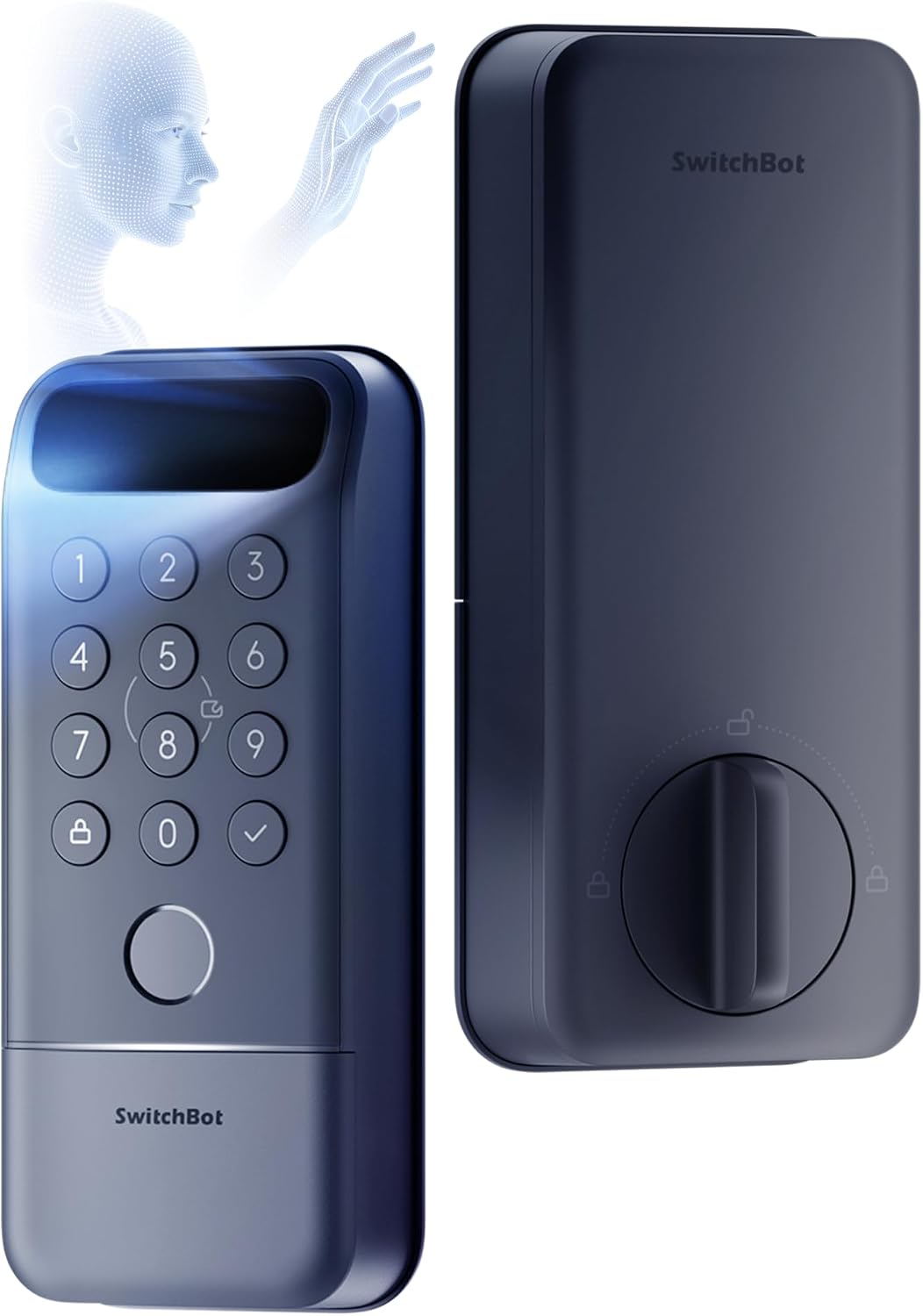
Multiple Biometrics
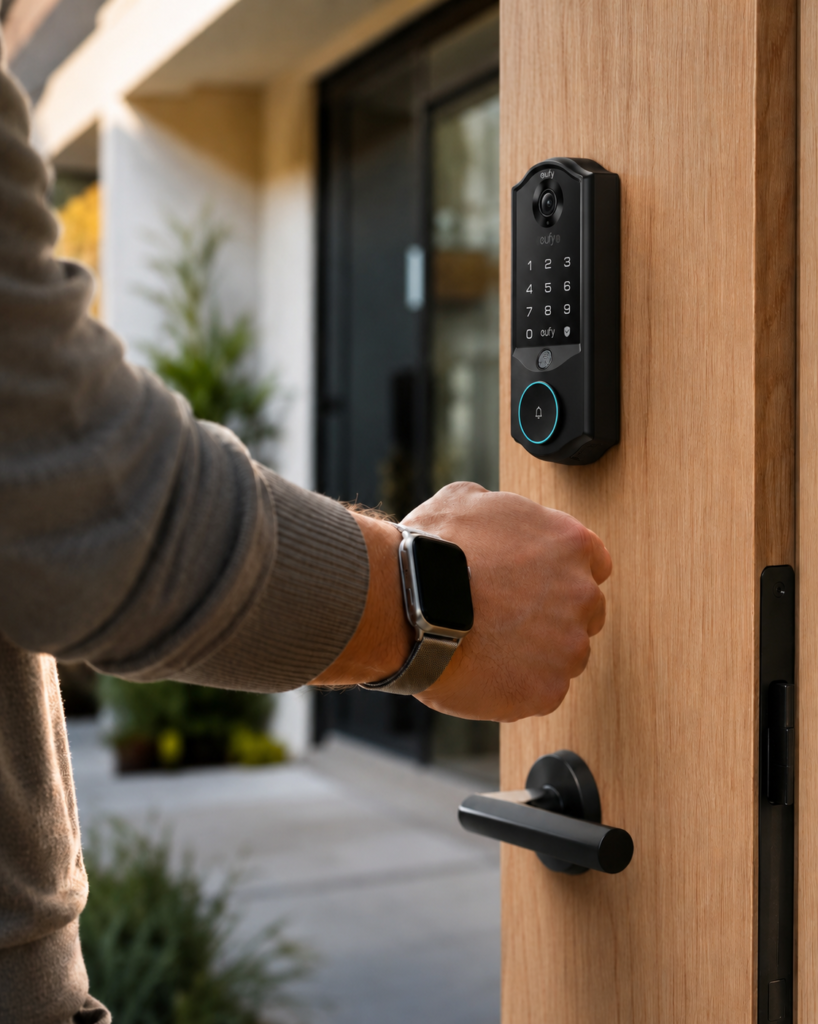
SwitchBot Lock Vision Pro
A feature-heavy option offering facial recognition alongside fingerprint and palm-vein access.
View ProductDisclosure: This section contains affiliate links. If you purchase through one of these links, I may earn a commission at no additional cost to you. Prices and availability may change.
Eufy FamiLock E40: The Fastest Overall Experience
The Eufy FamiLock E40 made the strongest argument that facial-recognition locks may finally be ready for everyday use.
During the comparison, it reportedly recognized the homeowner and unlocked the door in less than a second.
That matters because a hands-free lock only feels convenient when it works without an awkward pause. Standing on the porch while staring into a scanner for four or five seconds would quickly become more annoying than entering a code.
The Eufy was also reportedly the most reliable of the group when the user was wearing sunglasses.
It combines several front-door devices in one piece of hardware:
- 3D facial recognition
- Fingerprint access
- A touchscreen keypad
- A physical key
- A 2K video doorbell
- Human and package detection
- Matter compatibility
- A rechargeable main battery
- A secondary backup battery
For a homeowner planning to buy both a smart lock and a video doorbell, combining the two could simplify the front entrance.
It could also make the doorway look busier.
The Eufy is not a small, discreet lock. Cameras, scanners, batteries and multiple access controls require space. Homeowners who care deeply about the appearance of their front door may find the hardware bulky, especially on a traditional, historic or highly detailed entry.
Battery use is another concern.
Video recording, motion detection, Wi-Fi connections and facial scanning all consume power. A device doing the work of several smart-home products may also need to be charged more often than a simple keypad lock.
That does not make it a bad product. It just means homeowners should consider how much technology they really want concentrated in one front-door device.

Lockly Visage Zeno: A More Refined Option for Apple Users
The Lockly Visage Zeno offers facial recognition without building a video doorbell into the lock.
That helps the exterior hardware look smaller and more refined.
During the hands-on test, facial recognition generally took around two seconds. That was not as fast as the Eufy, but it was still quick enough to be useful.
Hats reportedly caused few problems. Sunglasses could slow recognition.
One of the Visage Zeno’s biggest advantages is Apple Home Key.
Apple Home Key allows an authorized user to hold a compatible iPhone or Apple Watch near the lock to gain entry. For someone already using Apple devices, it creates an excellent backup when facial recognition is not the best choice.
The lock also includes:
- A fingerprint reader
- A keypad
- A physical key
- Built-in Wi-Fi
- App access
- Voice-assistant support
- Two rechargeable batteries
The two-battery design is particularly practical. One battery can remain in the lock while the other charges, reducing the chance that the homeowner temporarily loses smart-lock functionality.
The main disadvantage is that the Lockly Visage Zeno does not support Matter.
It still works with several major smart-home services, but it does not offer the same broad interoperability that Matter-supported products are working toward.
Its keypad can also take some getting used to.
Lockly’s PIN Genie system rearranges the number positions to make it more difficult for someone to steal a code by watching where the homeowner taps. That adds security, but it may confuse guests or relatives who are expecting a traditional keypad.
For homeowners who value a cleaner appearance, strong battery life and Apple Home Key, those tradeoffs may be reasonable.
Lockin Veno Solar Face: A Smart Lock Designed Around Battery Anxiety
One of the biggest drawbacks of owning a smart lock is remembering that the front door now has a battery.
Traditional deadbolts do not need to be charged. Smart locks do.
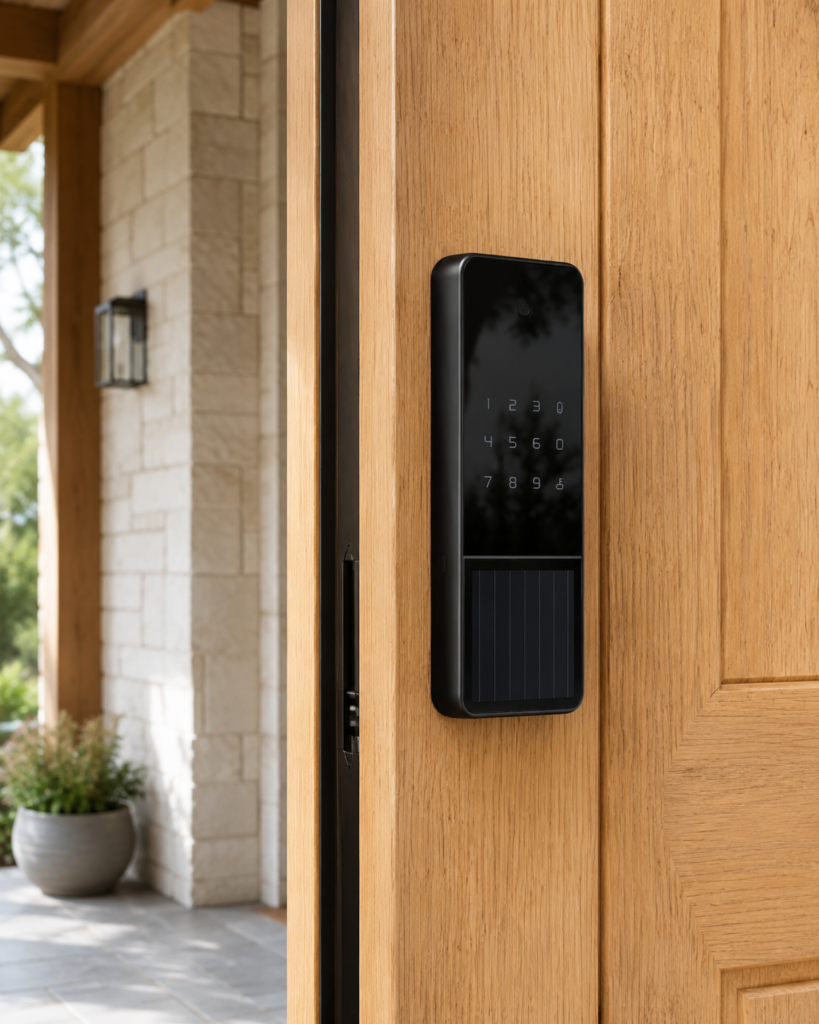
The Lockin Veno Solar Face attempts to reduce that maintenance with a solar panel built into its exterior hardware.
The solar panel collects light and helps recharge the lock’s internal battery throughout the day. It does not necessarily eliminate the need for charging, but it may extend the time between charges.
The Veno Solar Face also includes:
- 3D facial recognition
- A PIN keypad
- App control
- Voice control
- A mechanical key
- Built-in Wi-Fi
- Matter-over-Thread support
- USB-C emergency power
It is also one of the less expensive facial-recognition options.
That could make it attractive to homeowners who want to try the technology without moving into the highest price range.
The tradeoff is that facial recognition was not as consistently fast as the Eufy during the comparison. It also reportedly struggled when the user wore sunglasses.
The exterior weather rating deserves attention as well.
A solar lock may sound perfect for an uncovered front door, but homeowners should still check exactly how much rain, dust, heat and cold the device is rated to withstand.
The direction of the door matters too.
A shaded north-facing porch may not provide the same charging benefit as an entrance that receives several hours of usable daylight.
The solar panel is clever, but the placement of the home may determine how valuable it actually becomes.
SwitchBot Lock Vision Pro: More Ways to Prove You Are You
The SwitchBot Lock Vision Pro offers more biometric options than the other locks in the comparison.
In addition to facial recognition, it can use:
- Fingerprint recognition
- Palm-vein recognition
- A keypad
- NFC access
- App control
- Apple Watch access
- Voice control
- A physical key
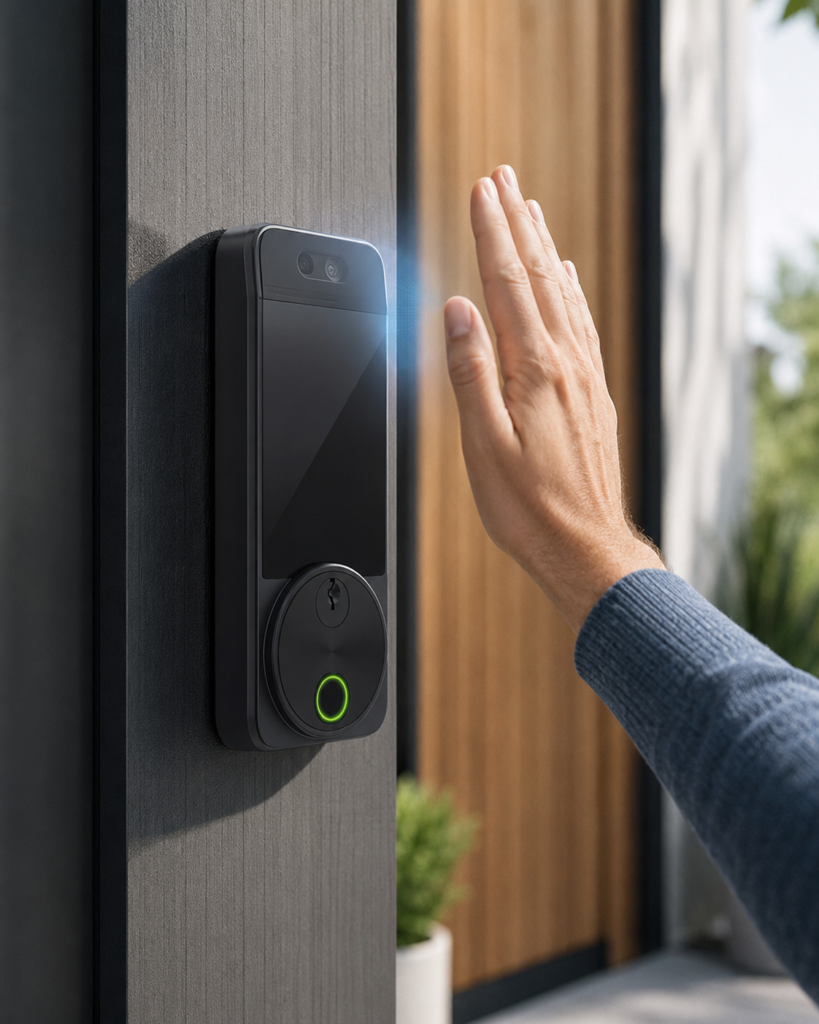
Palm-vein recognition is especially unusual.
Instead of scanning the surface of the hand, the device uses infrared light to recognize the unique vein pattern beneath the skin. Because vein patterns are inside the body, they can be more difficult to copy than a visible fingerprint.
The Lock Vision Pro also includes a large rechargeable battery, a separate backup battery and USB-C emergency power.
On paper, it is one of the most complete locks available.
Its facial-recognition performance was less convincing during the comparison.
The reviewer reportedly had to wait several seconds on some attempts, while the fingerprint and palm-vein systems worked more reliably. Sunglasses also created problems.
That does not make the lock useless. In fact, someone may prefer having several biometric methods available.
But a product called the Lock Vision Pro needs its facial-recognition system to be one of its strongest features. If the homeowner regularly chooses the fingerprint reader instead, the face scanner becomes less important.
The Real Question Is Not Whether It Works
The latest facial-recognition locks show that the basic technology can work.
The more important question is whether homeowners are comfortable using it.
A key can be replaced. A PIN can be changed. A compromised password can be reset.
You cannot change your face.
That makes the treatment of biometric information more important than the treatment of an ordinary access code.
Manufacturers generally say these locks store encrypted facial templates locally on the device rather than uploading a complete facial image to a remote server.
Local storage is a positive feature.
It can make recognition faster because the lock does not need to communicate with a distant server. It can also reduce the risk associated with a large cloud database containing biometric information from thousands of households.
However, the phrase “stored locally” should not be the end of the homeowner’s research.
Before enrolling anyone’s face, you should know:
- Exactly what information is stored
- Whether any part of it is uploaded
- How the information is encrypted
- How to delete a registered face
- What happens during a factory reset
- How long the company will provide security updates
- Whether the system keeps an access history
- Who can view or manage that history
These questions become even more important when a lock includes a video doorbell.
The facial template used to unlock the door and the video footage recorded on the porch may be stored and managed differently. Homeowners need to understand both.
Facial Recognition Does Not Automatically Make the Door More Secure
It is easy to focus on the most advanced part of the product and forget that a front door is a complete system.
A facial scanner cannot compensate for a weak door frame.
Home security still depends on:
- The strength of the deadbolt
- The quality of the strike plate
- The screws securing the strike plate
- The construction of the door
- The physical strength of the lock
- The homeowner’s app password
- The security of the home Wi-Fi network
- The availability of software updates
- The reliability of backup access methods
A highly advanced facial-recognition scanner attached to a poorly reinforced door may still provide less protection than a strong conventional deadbolt installed correctly.
When comparing smart locks, homeowners should look beyond the biometric features and check the lock’s physical security grade.
The front door should resist force even if the camera, app and internet connection are completely removed from the equation.
What Happens When You Wear Sunglasses?
A facial-recognition lock has to identify homeowners as they actually appear in daily life.
That may include:
- Sunglasses
- Prescription glasses
- Baseball caps
- Winter hats
- Hoods
- Makeup
- Facial hair
- Different hairstyles
- Bright sunlight
- Deep shadows
- Rain or snow
A lock that works perfectly in a product demonstration may struggle on a porch where direct afternoon sunlight falls across half of the homeowner’s face.
Sunglasses were one of the most obvious differences in the hands-on comparison.
The Eufy reportedly handled them better than the other models. Several of the competing locks either took longer or did not recognize the user.
That could be a small issue in a cloudy climate and a major frustration in a sunny one.
Installation height matters too.
The facial sensor has a specific field of view. A lock mounted unusually high or unusually low may work well for one adult while struggling to recognize children, shorter family members or wheelchair users.
Before purchasing, homeowners should measure the height of their existing deadbolt and compare it with the manufacturer’s recommended recognition range.
Matter Compatibility Could Make These Locks More Useful
Matter is a smart-home standard designed to help connected devices work across different platforms.
A Matter-compatible lock may be able to communicate with Apple Home, Google Home, Amazon Alexa, Samsung SmartThings and other supported systems without locking the homeowner into one brand.
That can make the lock more useful in daily routines.
For example, unlocking the front door could trigger several actions:
- Turn on the entry lights
- Disarm a compatible security system
- Adjust the thermostat
- Turn on a hallway lamp
- Send a notification that a family member arrived
- Begin an evening home routine
However, Matter compatibility does not mean every feature will appear inside every smart-home app.
Basic functions such as locking, unlocking and checking the lock’s status may work through Matter. Enrolling faces, changing recognition settings, viewing doorbell video and managing biometric credentials may still require the manufacturer’s app.
Matter creates a common connection between devices. It does not eliminate the need for specialized apps.
Facial Recognition May Not Be the Final Answer
Facial recognition is not the only technology trying to create truly hands-free entry.
Ultra-wideband technology, usually called UWB, can allow a lock to detect the precise position of an authorized phone or smartwatch.
A UWB lock could potentially tell that the homeowner is approaching from outside and automatically unlock before the person reaches the door.
That may feel even more natural than facial recognition because the homeowner does not have to look toward a scanner.
The disadvantage is that UWB still depends on carrying a compatible device.
Facial recognition works even when the homeowner leaves the phone inside.
That gives face scanning an important advantage for people who spend time working in the yard, walking the dog, checking the mailbox or visiting a neighbor without bringing a phone.
The future may involve both systems working together.
The lock could recognize an approaching phone, confirm the homeowner’s face and unlock with almost no visible delay.
For now, facial recognition provides a hands-free option that is available without requiring every family member to carry a particular device.
Who Would Benefit Most From a Facial-Recognition Lock?
These locks make the most sense for households where hands-free entry solves a repeated problem.
That could include:
- Parents regularly carrying children, diaper bags or groceries
- Homeowners who work outside without carrying a phone
- Family members who frequently forget keys or PIN codes
- Older adults who find small keypads difficult to use
- Smart-home owners who enjoy connected routines
- Apple users who want facial recognition backed up by Home Key
- Homeowners already planning to install a video doorbell
- Technology enthusiasts comfortable adopting newer products
The convenience is most noticeable when it removes a problem that occurs several times a week.
Someone who rarely uses the front door may not gain much from the upgrade.
Who Should Probably Wait?
Facial-recognition locks are improving quickly, but they are not the obvious choice for every home.
You may want to wait when:
- Your existing fingerprint lock already works perfectly
- You dislike bulky technology on the front door
- Your entrance receives heavy rain or extreme weather
- You do not want to manage rechargeable batteries
- You are uncomfortable storing facial biometric information
- You prefer products with several years of proven reliability
- The manufacturer does not clearly explain its privacy policy
- You do not need hands-free entry often enough to justify the cost
A good keypad or fingerprint lock remains more than enough for many households.
There is nothing outdated about choosing a simpler product that works reliably.
What to Check Before Buying One
Do not choose a facial-recognition lock based only on the advertised unlocking speed.
Look at the entire product.
Door compatibility
Confirm the thickness of your door, the deadbolt opening, the backset measurement and the space available around the existing hardware.
Some smart locks are too large to fit comfortably near decorative trim, glass panels or oversized handles.
Weather resistance
Check the exterior IP rating, especially if the door is not protected by a covered porch.
A lock mounted under a deep overhang faces very different conditions from one exposed to wind-driven rain and direct sunlight.
Physical lock grade
Facial recognition protects digital access. The physical deadbolt still needs to resist force.
Look for independent security and durability ratings.
Battery design
Determine how the main battery is charged, how long charging takes and whether a second battery can be used while the first one charges.
Also check for emergency USB power or a backup battery.
Backup access
Your face should never be the only way into the house.
A reliable lock should include several backup methods, such as:
- Fingerprint access
- A PIN
- A physical key
- Apple Home Key
- NFC
- App access
- Emergency external power
Privacy controls
Make sure individual facial profiles can be deleted easily.
Also verify what happens to the data when the lock is removed, sold or factory-reset.
Software support
A front-door lock may remain installed for many years.
Check whether the manufacturer has a history of providing firmware updates and security patches after the initial product launch.
Are Facial-Recognition Locks Finally Worth Buying?
For the first time, the answer may be yes—at least for the right homeowner.
The fastest systems now recognize and unlock quickly enough to feel genuinely convenient. They are no longer asking homeowners to stand awkwardly on the porch waiting for the technology to catch up.
The Eufy FamiLock E40 appears to provide the fastest and most complete overall experience, especially for someone who also wants a video doorbell.
The Lockly Visage Zeno offers a more refined appearance, strong battery design and excellent integration for Apple users.
The Lockin Veno Solar Face presents an interesting lower-priced option with solar-assisted charging.
The SwitchBot Lock Vision Pro offers the widest range of biometric access methods, although its facial recognition may not yet be the strongest reason to purchase it.
None of them is perfect.
The devices are still more expensive and bulkier than traditional locks. Facial scanning can struggle with sunglasses or difficult lighting. Advanced cameras and sensors consume battery power. Privacy policies require more attention than they would with a standard deadbolt.
But the technology has crossed an important line.
Facial recognition is no longer being added only because it looks futuristic on a product page. In the best models, it solves a real everyday problem.
You can walk toward your home with your hands full, open the door and step inside without touching anything.
That is useful.
The remaining question is whether the convenience is worth giving your front door one of the most personal credentials you have.
Your key can be replaced.
Your code can be changed.
Your face cannot.